If you've ever tried to describe how two systems talk to each other what happens first, what gets sent back, and in what order you already know why sequence diagram notation matters. Sequence diagrams give you a visual, step-by-step map of interactions between objects or components. But drawing them by hand in a GUI tool gets slow. Writing them as code? That's faster, version-controllable, and easier to maintain. This guide covers the notation you need to write sequence diagrams using code, so you can sketch out system interactions without touching a mouse.
What is sequence diagram code notation?
Sequence diagram code notation is a text-based syntax for describing interactions between participants (objects, actors, services) over time. Instead of dragging boxes and arrows in a visual editor, you write short lines of code that a rendering tool turns into a diagram. The most common syntax comes from PlantUML, though Mermaid and other markup languages follow similar patterns.
The core idea is simple: you declare who the participants are, then describe messages flowing between them from top to bottom matching the order events happen in time.
Why would I write sequence diagrams as code instead of drawing them?
There are a few practical reasons developers and architects prefer code-based diagrams:
- Version control. Diagram source files live in your repo alongside your code. You can diff changes, review them in pull requests, and track history.
- Speed. Once you know the syntax, typing out interactions is faster than arranging shapes in a GUI.
- Consistency. Rendering tools produce uniform layouts every time. No more manual alignment headaches.
- Automation. You can generate diagrams from templates, embed them in documentation pipelines, or update them with scripts.
If you're already working with UML diagram code syntax, sequence diagrams are one of the most straightforward diagram types to express this way.
What are the basic building blocks of sequence diagram code?
Every sequence diagram syntax whether PlantUML, Mermaid, or similar uses a handful of core elements. Here's what they are and what they mean.
Participants
Participants are the objects, actors, or systems involved in the interaction. You declare them at the top, and they appear as labeled columns in the rendered diagram.
In PlantUML:
participant Client
participant Server
actor User
In Mermaid:
participant Client
participant Server
You can also alias participants to give them a display name different from their identifier: participant S as "API Server".
Messages (arrows)
Messages represent communication between participants. The arrow direction shows who sends and who receives. A solid arrow typically means a synchronous call; a dashed arrow means a return or response.
In PlantUML:
Client -> Server: GET /users
Server --> Client: 200 OK (JSON)
The single arrow -> is a solid line; --> is dashed. In Mermaid, the syntax is similar: Client->>Server: GET /users for solid and Server-->>Client: 200 OK for dashed.
Activation bars
Activation bars (those tall rectangles on lifelines) show when a participant is actively processing something. In PlantUML, you can add them explicitly:
activate Server
...processing...
deactivate Server
Many tools also create activation bars automatically when a message is sent and a response follows.
Notes
Notes let you add context or explanations. In PlantUML:
note right of Server: Validates token
note left of Client: Retry on timeout
These don't affect the interaction logic they're purely for the reader.
Loops, alternatives, and conditions
Sequence diagrams aren't limited to straight-line flows. You can express loops, if/else branches, and optional blocks.
In PlantUML:
loop Every 30 seconds
  Client -> Server: Poll /status
  Server --> Client: 200 OK
end

alt Success
  Server --> Client: 200 OK
else Failure
  Server --> Client: 500 Error
end
In Mermaid, the structure is similar but uses slightly different keywords: loop, alt/else, and opt for optional blocks.
Parallel execution
The par block shows two or more interactions happening at the same time. This is useful when modeling concurrent requests or parallel processing.
par Fetch user data
  Client -> UserService: GET /user
and Fetch order data
  Client -> OrderService: GET /orders
end
Grouping and boxes
You can group participants visually using boxes to show which ones belong to the same system or layer. In PlantUML:
box "Backend Services" #LightBlue
  participant UserService
  participant OrderService
end box
This doesn't change the interaction logic but helps readability in complex diagrams.
How do I write a complete sequence diagram step by step?
Let's walk through a real example: a user logging in through an authentication flow.
Step 1: Define participants.
actor User
participant Frontend
participant AuthService
participant Database
Step 2: Write the message flow top to bottom.
User -> Frontend: Enter credentials
Frontend -> AuthService: POST /login
activate AuthService
AuthService -> Database: Query user
activate Database
Database --> AuthService: User record
deactivate Database
AuthService --> Frontend: JWT token
deactivate AuthService
Frontend --> User: Show dashboard
Step 3: Add error handling.
alt Valid credentials
  AuthService --> Frontend: JWT token
else Invalid credentials
  AuthService --> Frontend: 401 Unauthorized
  Frontend --> User: Show error message
end
Step 4: Add a note for clarity.
note over AuthService: Token expires in 24 hours
Combine all of these into a single code block, wrap it with the appropriate start and end markers (like @startuml/@enduml for PlantUML), and render it. You get a clean, professional sequence diagram from about 20 lines of text.
If you work on system-level designs regularly, our guide on UML diagram code for system architects covers how sequence diagrams fit alongside other diagram types in architecture documentation.
What are the most common mistakes when writing sequence diagram code?
Here are mistakes that trip people up especially when starting out:
- Forgetting return messages. A sequence diagram with only request arrows and no responses looks incomplete. Always include the response, even if it's just an acknowledgment.
- No activation bars on long processes. If a participant does significant work between receiving and responding to a message, show the activation bar. Without it, readers can't tell when processing starts and ends.
- Too many participants. A diagram with 12+ participants becomes unreadable. Split complex flows into multiple diagrams, each focused on a specific interaction.
- Mixing abstraction levels. Don't put low-level database queries and high-level user actions in the same diagram unless you specifically need to show the full chain. Keep each diagram at one level of detail.
- Missing lifeline stops. When a participant's role in the interaction is done, use
destroy(PlantUML) to show it explicitly. Otherwise the lifeline runs to the bottom of the diagram even if the object is no longer relevant. - Ignoring the text direction. Sequence diagrams read top to bottom and left to right. If you place participants in a confusing order, the arrow directions will be hard to follow. Put the initiating actor on the left.
PlantUML vs. Mermaid: which syntax should I learn?
Both are widely used. Here's a quick comparison to help you choose:
- PlantUML supports more advanced features reference frames, gates, multiparticipants, and richer styling. It requires a Java runtime or a web renderer. Most enterprise documentation setups use it.
- Mermaid is lighter, renders natively in GitHub markdown, GitLab, and many documentation platforms. Its syntax is slightly simpler but has fewer advanced options.
If your team already uses a specific documentation platform, check which syntax it supports natively. That's usually the right choice. For a broader comparison of markup options, see our online UML diagram code generator tool walkthrough.
What are some advanced sequence diagram features?
Once you're comfortable with the basics, these features help you model more complex scenarios.
Reference frames
Use ref over to reference another sequence diagram. This keeps your diagrams modular like calling a function in code.
ref over AuthService, Database: See "Token Validation" diagram
Gate and endpoint notation
Gates represent message endpoints that cross diagram boundaries. They're useful when modeling interactions that start or end outside the current scope.
Multiple sequence fragments
Beyond alt and loop, you can use:
critical– a region that must complete without interruptionbreak– exits the enclosing interaction fragmentneg– shows an invalid interactionstrictandseq– control ordering of messages within parallel blocks
Self-calls
A participant can send a message to itself to represent internal method calls:
AuthService -> AuthService: Hash password
This shows up as a looping arrow on the participant's lifeline.
How do I keep sequence diagrams maintainable as my system grows?
A few habits make a big difference over time:
- One scenario per diagram. Don't try to show every edge case in a single diagram. Create separate diagrams for the happy path, error paths, and edge cases.
- Use consistent participant names. If your code calls it
AuthService, your diagrams should too. Naming drift creates confusion. - Store diagram source in your repo. Treat
.pumlor.mmdfiles as code. Review them in pull requests. Auto-generate images in CI. - Add a title and description. PlantUML supports
titleandlegendblocks. Use them. A diagram without context is hard to interpret six months later. - Link diagrams to code. If a sequence diagram models a specific API endpoint or service method, note that in a comment or header. It makes the connection obvious for future readers.
Quick-reference cheat sheet for common syntax
Here's a fast lookup table for the most-used sequence diagram code patterns in PlantUML:
- Declare participant:
participant Name - Declare actor:
actor Name - Send message (solid):
A -> B: message - Send message (dashed/return):
A --> B: response - Self-call:
A -> A: internal work - Activate:
activate A - Deactivate:
deactivate A - Note:
note right of A: text - Loop:
loop condition ... end - Alternative:
alt condition ... else ... end - Optional:
opt condition ... end - Parallel:
par description ... end - Destroy participant:
destroy A - Title:
title My Diagram Title
For Mermaid, the syntax shifts slightly ->> for solid arrows, -->> for dashed but the structure maps closely.
Practical checklist before you share a sequence diagram
- Does the diagram have a clear title that explains what interaction it shows?
- Are all participants labeled with names your team recognizes?
- Does every request have a corresponding response arrow?
- Are activation bars shown where processing takes time?
- Have you included error or alternative paths that matter?
- Is the diagram focused on one scenario not trying to cover everything?
- Did you render and visually review the output before sharing?
- Is the source file stored in version control alongside related code?
Pick one interaction from your current project a login flow, a webhook handler, a message queue consumer and write it out as code today. You'll have a working sequence diagram in under 15 minutes, and you'll have built the muscle memory to make the next one even faster.
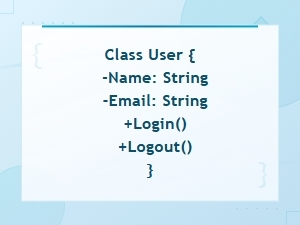 Uml Diagram Code Syntax Guide for Diagram Languages
 Uml Diagram Code Guide for System Architects – Languages and Tools
 Uml Diagram Code Examples for Software Engineering Projects
 Flowchart Code Syntax: a Beginner's Guide
 Mermaid Flowchart Syntax Examples and Usage
 Plantuml Sequence Diagram Syntax and Notation Reference Guide